A potential customer asks ChatGPT to compare businesses in your category. They want to understand what you offer, whether you serve their needs, and where to go next.
What information will they find?
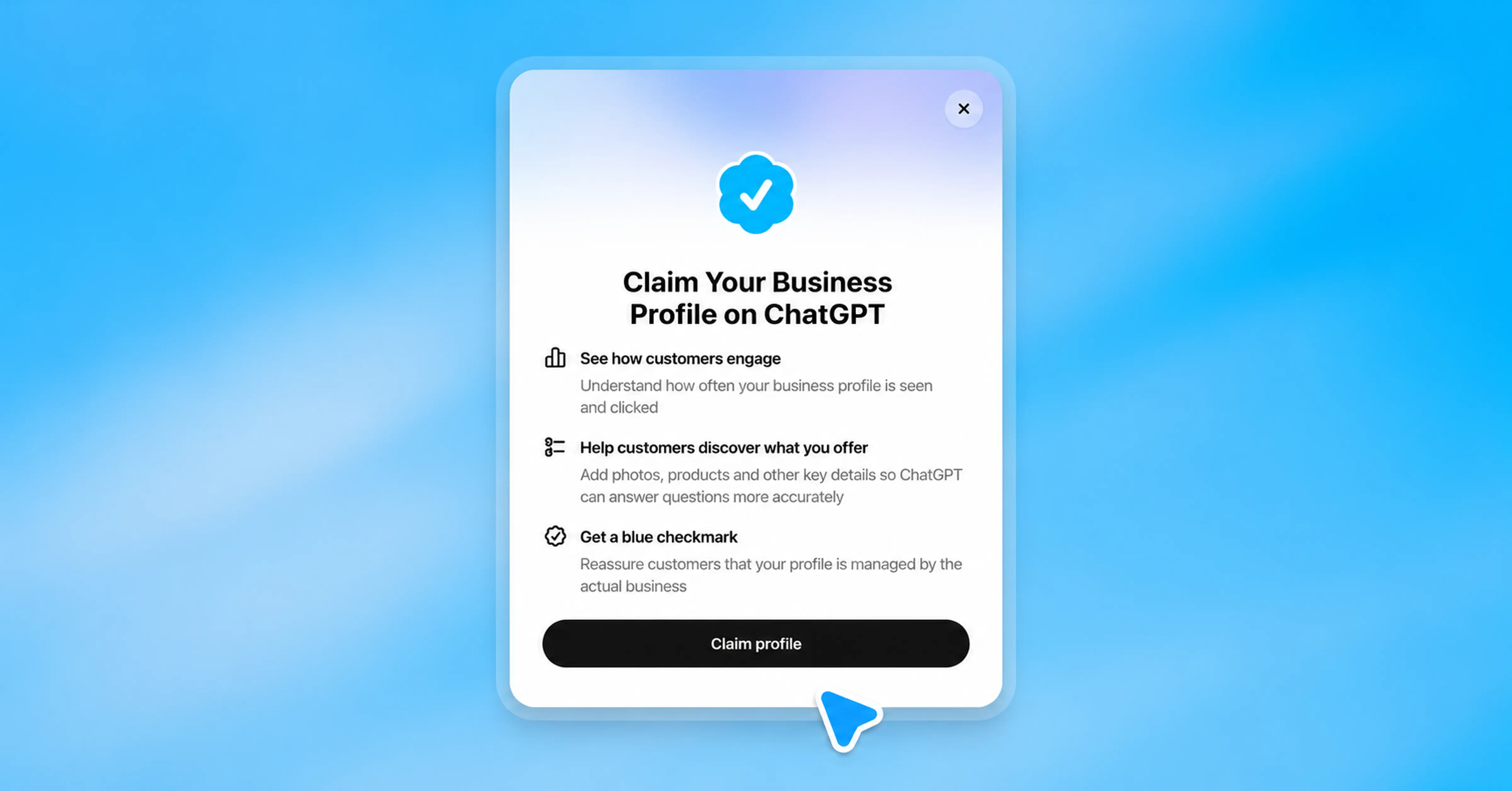
A ChatGPT business profile gives eligible businesses a way to contribute current information through OpenAI’s Business Hub. It also introduces a practical task for marketing teams: deciding who owns that information and how it stays accurate.
OpenAI announced Businesses in ChatGPT in beta on November 10, 2026. The launch includes business claiming, engagement insights, and optional Business Agents for eligible US ecommerce and online service businesses.
For founders and marketing leaders, the immediate opportunity is to make the business easier to understand. Claiming a profile should support that work, alongside a clear website and credible proof of what you deliver.
Key Takeaways
- Business Hub lets eligible businesses claim and manage information about their organization.
- Claim approval and identity verification are separate steps in the setup process.
- Eligibility to manage a profile does not automatically mean eligibility to publish a Business Agent.
- Claiming your business does not guarantee higher placement or more recommendations.
- Clear service descriptions, accurate policies, and useful website pages remain essential.
What Is a ChatGPT Business Profile?
A ChatGPT business profile is a business presence that customers can encounter while exploring companies, products, or services in ChatGPT.
Through ChatGPT Business Hub, eligible businesses can contribute information about their offerings and access available engagement insights. Retailers can also provide product information through supported feeds.
An optional Business Agent adds a separate conversational experience. Customers can choose to ask it follow-up questions about the business’s offerings.
These elements serve different purposes:
OpenAI distinguishes Business Agent conversations from ChatGPT’s independent answers. Customers should be able to recognize when they are talking with an AI representing a business.
Who Can Claim a Business on ChatGPT?
You must own the business or have authorization to represent it.
OpenAI’s business claiming page explains that eligibility depends on location, industry, and verification requirements. Business Agents currently have a narrower starting audience: eligible ecommerce and online service businesses in the United States.
A company may therefore qualify for a profile without qualifying for an agent. Check the current requirements before planning an agent launch or promising one to a client.
For an agency, authorization should be settled before setup begins. The business owner should know which account will manage the profile, who will maintain it, and how access will be handled if the agency relationship changes.
Treat this as a business asset with an accountable owner.
How to Claim Your Business on ChatGPT
Use the official setup instructions alongside the options shown in your account. Because the service is in beta, the available path can vary.
1. Open Business Hub
Sign in to ChatGPT and open Business Hub from the sidebar. Search for your business and select the matching listing.
2. Verify Your Connection
Follow an offered verification method. Options may include a business phone, business email, website-domain verification, or Shopify.
For domain verification, add the provided TXT record to your DNS settings exactly as instructed.
3. Wait for Claim Approval
OpenAI reviews the request and emails its decision or asks for additional information.
4. Complete Persona Verification
Approved identity verification is required before publishing information changes, accessing insights, or creating an eligible agent.
If you create a new profile through Persona, approval automatically publishes that profile. Prepare its information before submitting.
5. Review Your Information
Update the supported business details and submit changes for review. Publishing an agent is a separate, optional action.
Before starting, gather your official business name, website, current logo, approved description, and access to the verification channel. Having these ready reduces avoidable back-and-forth.
What Should Your Business Profile Say?
The strongest starting point is a description that helps a prospective customer decide whether to keep exploring.
Avoid writing a collection of broad claims such as “innovative,” “world-class,” and “full-service.” Explain what you provide and who it helps.
A useful description answers:
- What does the business do?
- Who is the intended customer?
- Which products or services are available?
- What makes the offering meaningfully different?
- Where can someone find details or take the next step?
For example, a hypothetical software consultancy could replace:
We deliver innovative digital solutions for forward-thinking companies.
With:
We help US B2B software companies redesign customer onboarding and improve product usability, from research through implementation.
The second description gives a buyer something concrete to evaluate. Use that level of specificity only when it accurately describes your business.
Match the Profile to Your Website
Review the pages that support your claims.
If your profile describes enterprise implementation services, the linked website should explain those services. If you mention a particular industry, include relevant evidence rather than leaving visitors to infer your experience.
Clay9’s startup launch checklist connects positioning, brand assets, website messaging, and launch content. That same coordination is useful here: each touchpoint should tell a consistent story.
Use Proof Carefully
Choose evidence that a customer can understand and verify.
A named case study, a clearly scoped result, or a documented capability is more useful than an unsupported superlative. Explain the context behind results instead of suggesting every customer will achieve the same outcome.
Why a ChatGPT Business Listing Matters
The practical value of a ChatGPT business listing is the opportunity to supply better information where customers are evaluating options.
OpenAI says Business Hub includes aggregated mentions, website clicks, and discovery topics. It does not share users’ conversations or Business Agent chats with businesses through those insights. Reporting also depends on activity thresholds.
For a marketing team, that creates several useful questions.
Are People Finding the Right Offering?
Compare the themes associated with your business against the services you want customers to understand.
If the available information emphasizes an older service, review your public messaging. Look for outdated service pages, unclear navigation, and conflicting descriptions.
This is an editorial review, not a promise that changing one paragraph will alter ChatGPT’s recommendations.
Does the Website Continue the Conversation?
A person who clicks through needs a clear next step.
A generic homepage may work for some visitors. Others will need a product comparison, service explanation, pricing overview, or relevant case study.
Review the destination from the buyer’s perspective: can they quickly confirm that the business fits their need?
Are Visits Producing Meaningful Actions?
Evaluate website visits alongside inquiries, booked conversations, and other relevant outcomes.
Keep attribution limits visible. A visit from an AI platform does not prove that the profile caused the eventual sale. Use the data to identify questions worth investigating, rather than claiming a complete customer journey.
What Are ChatGPT Business Agents?
ChatGPT Business Agents are optional AI experiences that represent eligible businesses and help people explore their offerings.
They should be presented honestly as business representatives, rather than independent advisers or human employees. OpenAI’s Business Agents Policy also requires accurate information and prohibits invented prices, credentials, reviews, and guarantees.
For a business considering an agent, start by identifying the questions customers repeatedly ask before contacting sales.
Possible examples include:
- Which service fits a particular business need?
- What is included in an offering?
- What information should a customer prepare?
- Where are the relevant terms or policies?
- Which page explains the next step?
These are suggested testing scenarios, not a claim that every business category or requested behavior is supported.
Test Answers Before Publishing
Build a short test set from real customer questions.
Include straightforward questions, ambiguous requests, and situations where the answer is unavailable. Check whether the agent stays within the information supplied.
For example, ask about a service you do not offer. A useful response should acknowledge that limitation rather than invent a package.
Also test pricing questions where the answer requires a custom quote. The agent should explain the next step without creating a price.
OpenAI’s terms place responsibility on businesses for testing agents and correcting identified issues. Treat review as an ongoing responsibility after launch.
Will Claiming Your Profile Improve Your Rankings?
Claiming a business does not guarantee higher placement, recommendations, traffic, or sales.
OpenAI can use other sources and does not give the business exclusive control over listing content. Its Businesses in ChatGPT Terms explicitly avoid guarantees about ranking and distribution.
If you are researching how to get your business on ChatGPT, separate two goals:
- Establishing and managing an eligible business presence.
- Making your business clear, credible, and useful to potential customers.
Claiming addresses the first. Your website, positioning, evidence, and customer experience contribute to the second.
Avoid treating profile setup as a substitute for that broader work. An incomplete service page remains incomplete after a listing is claimed.
A Practical Launch Checklist for Marketing Teams
Use this checklist to organize the work before and after claiming.
Before Setup
- Confirm who is authorized to represent the business.
- Select the account owner and document responsibilities.
- Gather approved descriptions, logos, and verification access.
- Review the current eligibility requirements.
- Check the website for outdated offerings and conflicting details.
Before Launching an Agent
- Confirm agent eligibility separately.
- Prepare accurate product or service information.
- Define how unanswered questions should be handled.
- Test common questions and unsupported requests.
- Confirm that links lead to relevant, working pages.
After Setup
- Record the information submitted and its review status.
- Assign someone to maintain changes in services and policies.
- Review available insights alongside website analytics.
- Revisit agent answers when offerings change.
- Keep a record of issues and corrections.
These are recommended operating practices. They help prevent a profile from becoming another channel that nobody owns after launch.
Frequently Asked Questions
Do You Need Shopify to Claim Your Business?
No. Shopify is one supported route, but OpenAI also provides claiming paths for eligible businesses without a Shopify store.
What If You Cannot Find Your Business?
Eligible online businesses may see an option to add one. Local stores and restaurants can currently claim only an existing US listing, according to OpenAI’s setup guidance.
Can Your Business Appear Without an Agent?
Yes. OpenAI says ChatGPT may show business information whether or not the business has an agent. The agent adds an optional conversation with the business.
Should You Publish an Agent Immediately?
Review the use case, eligibility, information quality, and test results first. A focused, well-tested experience is a more manageable starting point than trying to answer every possible customer question.
Make Your Business Easier to Understand
Claiming your ChatGPT business profile is a useful starting task. The quality of the information behind it deserves equal attention.
A clear description helps someone understand the offering. Relevant proof helps them evaluate it. A well-designed website helps them take the next step.
For businesses preparing their presence across AI discovery and their own website, Clay9’s Marketing Studio brings strategy, content, and performance marketing together. Start with a consistent explanation of what you offer, then make every destination support it.